होम

ब्लॉग के बारे में Guide Diagnosing Laptop LCD Failures With a Multimeter

प्रमाणन
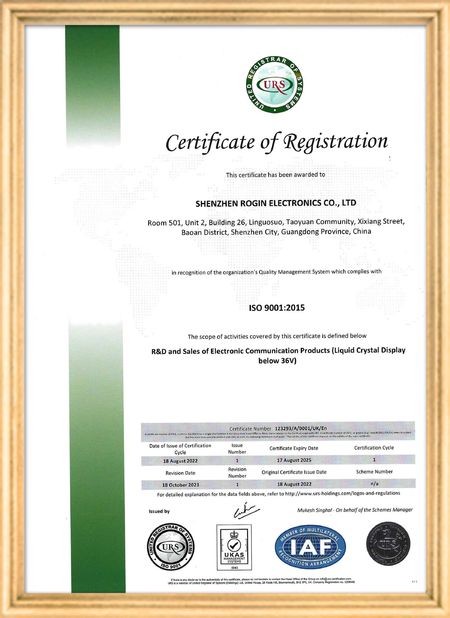
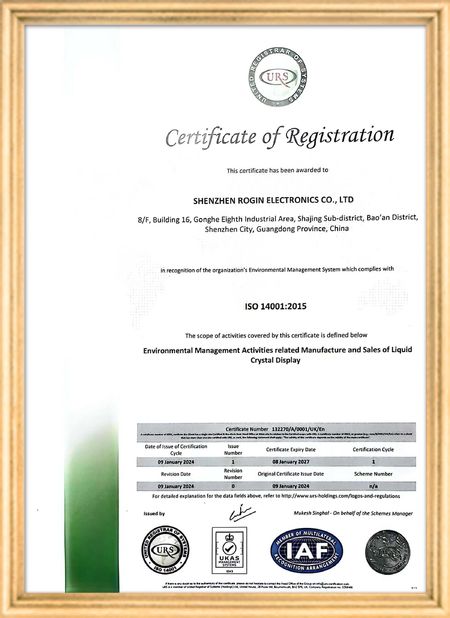
चीन Shenzhen Rogin Electronics Co., Ltd. प्रमाणपत्र
ग्राहक समीक्षा
ये डिस्प्ले ट्राम में एकदम सही काम करते हैं। उच्च चमक, विरोधी चमक, और लंबे समय तक कंपन के तहत भी स्थिर। यात्रियों को स्पष्ट दृश्य पसंद है।

—— कास्पर सोरेन्सेन

सटीक रंग, तेज प्रतिक्रिया, और सामान्य कम-तापमान स्टार्टअप। ट्रेन ऑनबोर्ड सिस्टम के कठोर वातावरण के लिए पूरी तरह से उपयुक्त।

—— निकोल बेकर

स्थापना में आसानी, व्यापक तापमान सीमा और उज्ज्वल वातावरण में उत्कृष्ट दृश्यता। ये डिस्प्ले हमारे सभी औद्योगिक उपकरण आवश्यकताओं को पूरा करते हैं।

—— जियोवन्नी

ये उच्च चमक वाले एलसीडी हमारे औद्योगिक नियंत्रण पैनलों के लिए एकदम सही हैं। वे सीधे कार्यशाला सूर्य के प्रकाश के तहत भी क्रिस्टल स्पष्ट रहते हैं और बिना किसी समस्या के 24/7 काम करते हैं। महान औद्योगिक ग्रेड गुणवत्ता.

—— लुकास मुलर

मैं अब ऑनलाइन चैट कर रहा हूँ
कंपनी ब्लॉग
Guide Diagnosing Laptop LCD Failures With a Multimeter
के बारे में नवीनतम कंपनी की खबर Guide Diagnosing Laptop LCD Failures With a Multimeter

When your laptop screen suddenly goes dark, don't panic. A simple multimeter can help you quickly identify power supply issues. This guide simplifies the diagnostic process, enabling you to check your LCD screen's power supply and determine whether the problem lies with the screen itself or its supporting components.

Preparing Your Multimeter

Begin by setting your multimeter to measure DC voltage. Before testing, identify your screen's rated voltage—typically marked near the power connector or available in the device specifications. Modern laptop screens commonly operate between 3.3V to 19V, depending on the model.

Testing Procedure

With the laptop powered off, carefully connect the multimeter probes to the screen's power connector terminals:

  • Place the red probe on the positive (+) terminal
  • Place the black probe on the negative (-) terminal or ground

Power on the device and observe the multimeter reading. Compare this measured voltage with your screen's rated voltage.

Interpreting Results

If the reading shows significantly lower voltage than specified or no voltage at all, potential issues include:

  • Faulty power adapter
  • Damaged motherboard power circuits
  • Loose or damaged cable connections

Systematically check each component: try a different adapter, inspect motherboard connections, and reseat all cables. If voltage readings return to normal after any intervention, you've likely found your culprit.

When voltage measurements match specifications but the screen remains nonfunctional, the issue may involve the LCD panel itself, the backlight, or other screen components requiring further diagnosis.

Safety Considerations

Always disconnect power before handling internal components. When working with exposed connectors, avoid touching multiple contacts simultaneously to prevent short circuits. These basic diagnostic techniques provide valuable information for determining whether to repair or replace components.

पब समय : 2026-05-18 00:00:00 >> blog list
सम्पर्क करने का विवरण
Shenzhen Rogin Electronics Co., Ltd.

व्यक्ति से संपर्क करें: Mr. Kelvin Zhu

दूरभाष: +86 15919061504

हम करने के लिए सीधे अपनी जांच भेजें (0 / 3000)